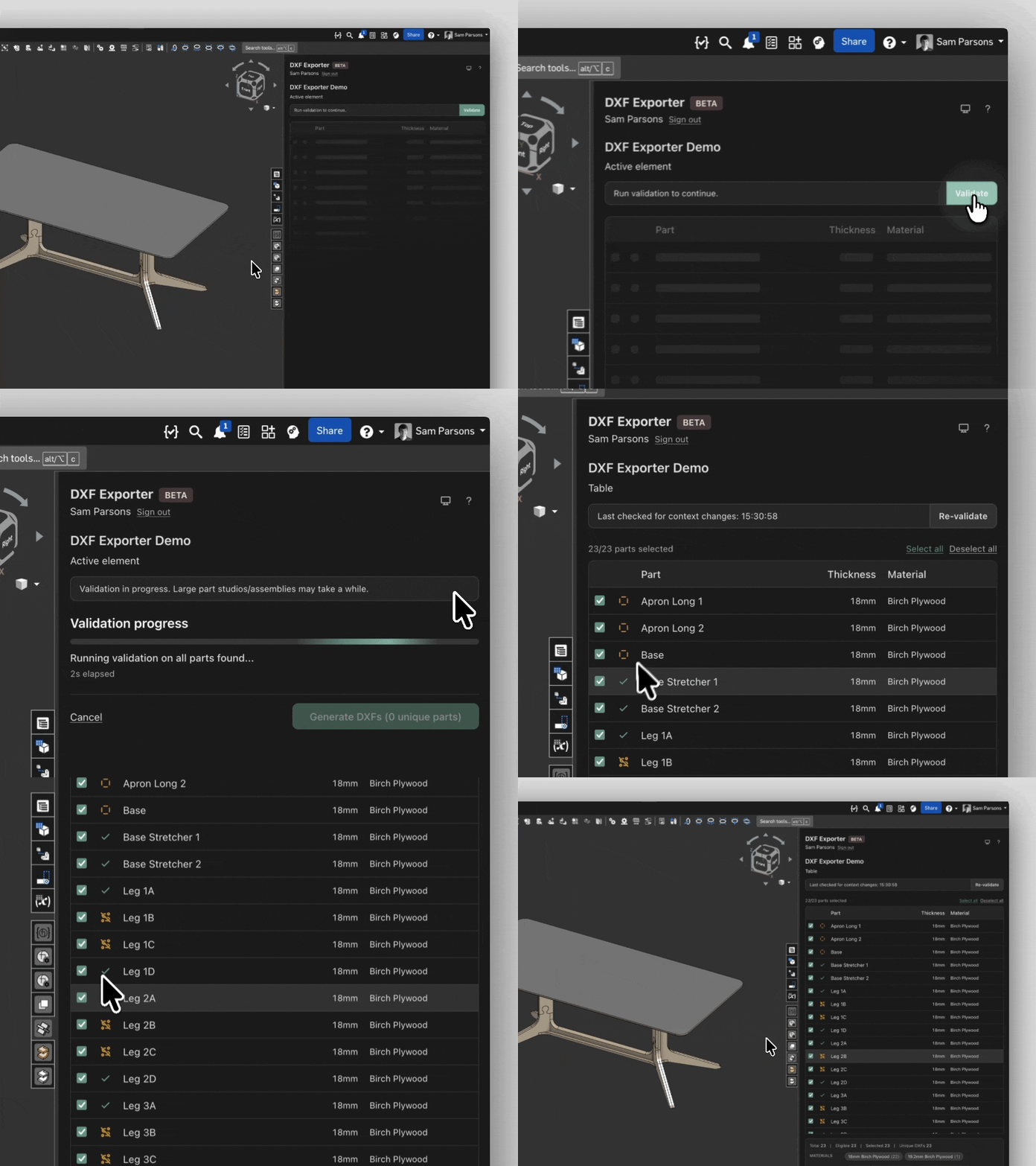
Validate before export
Catch issues before export, with clear statuses for checks that need review or must be resolved first.
Material missingAmbiguous orientationOvercam requiredComplex curvesBall-cut path missingIncompatibleDouble-sided milling


Validate your models, preview the generated files, and export structured DXFs from Onshape for 2.5-axis CNC and sheet-based manufacturing workflows.
Works with part studios, assemblies, and imported STEP/Parasolid geometry.
Features
Avoid drawing workarounds, face-by-face exports, and manual DXF assembly.
Catch issues before export, with clear statuses for checks that need review or must be resolved first.
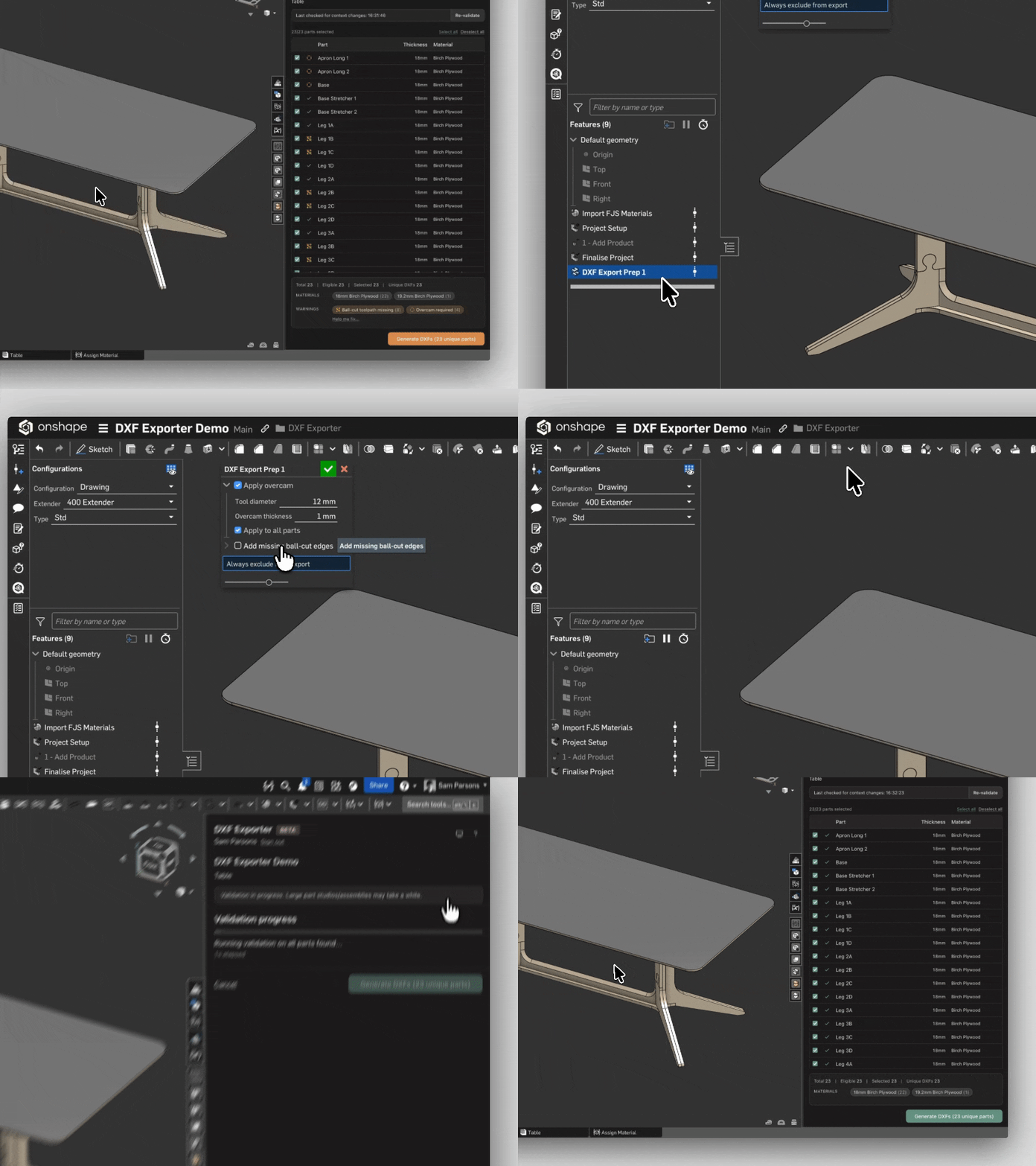
A companion Onshape custom feature resolves overcam and ball-cut warnings by adding the relief and toolpath edges the exporter needs, and marks parts to exclude from the DXF package.
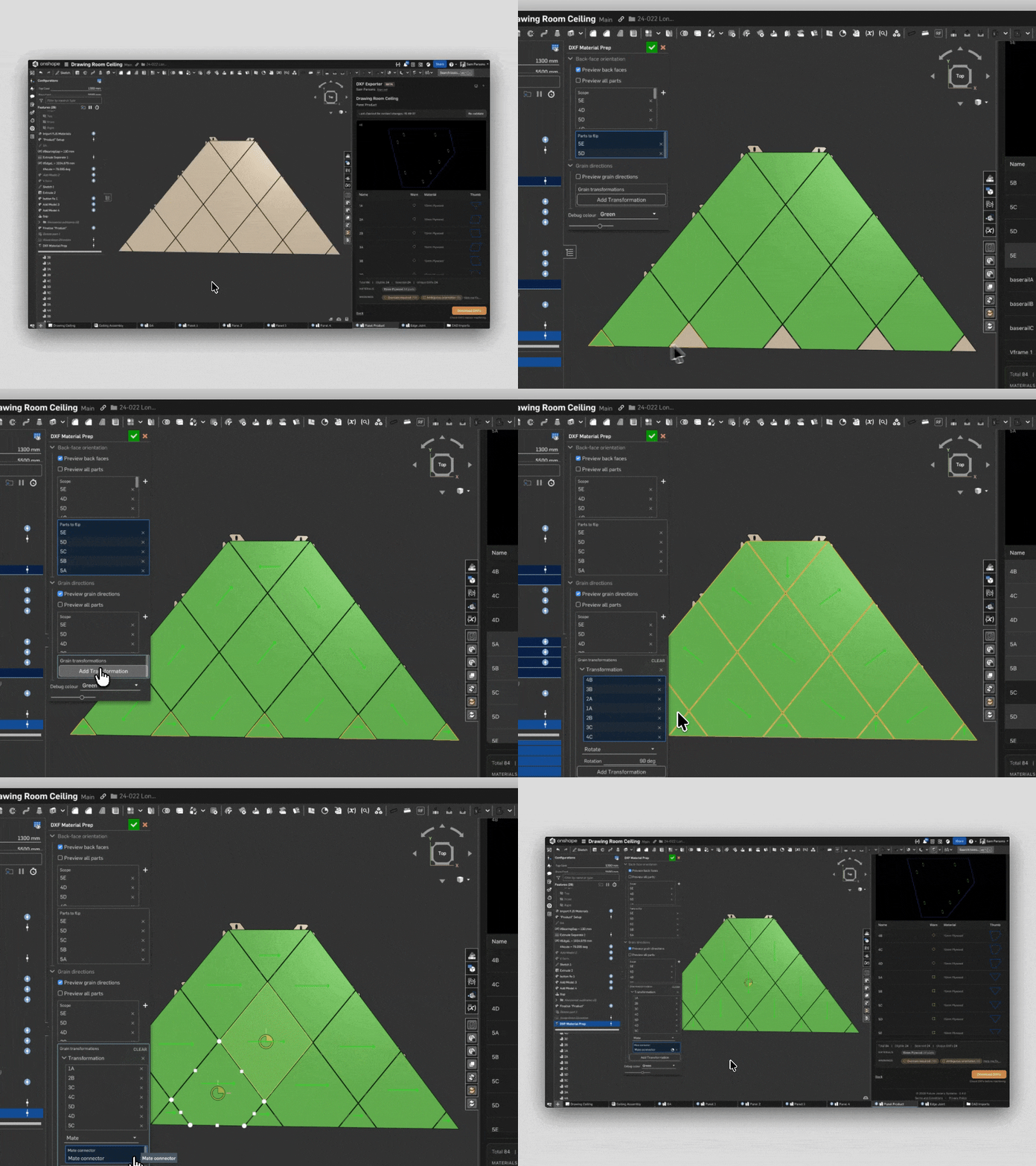
A second companion custom feature sets grain directions and flips which face is treated as the back, including on sheet metal parts.

If the design history or configuration changes after validation, you’ll be warned so you can revalidate the model before generating files.
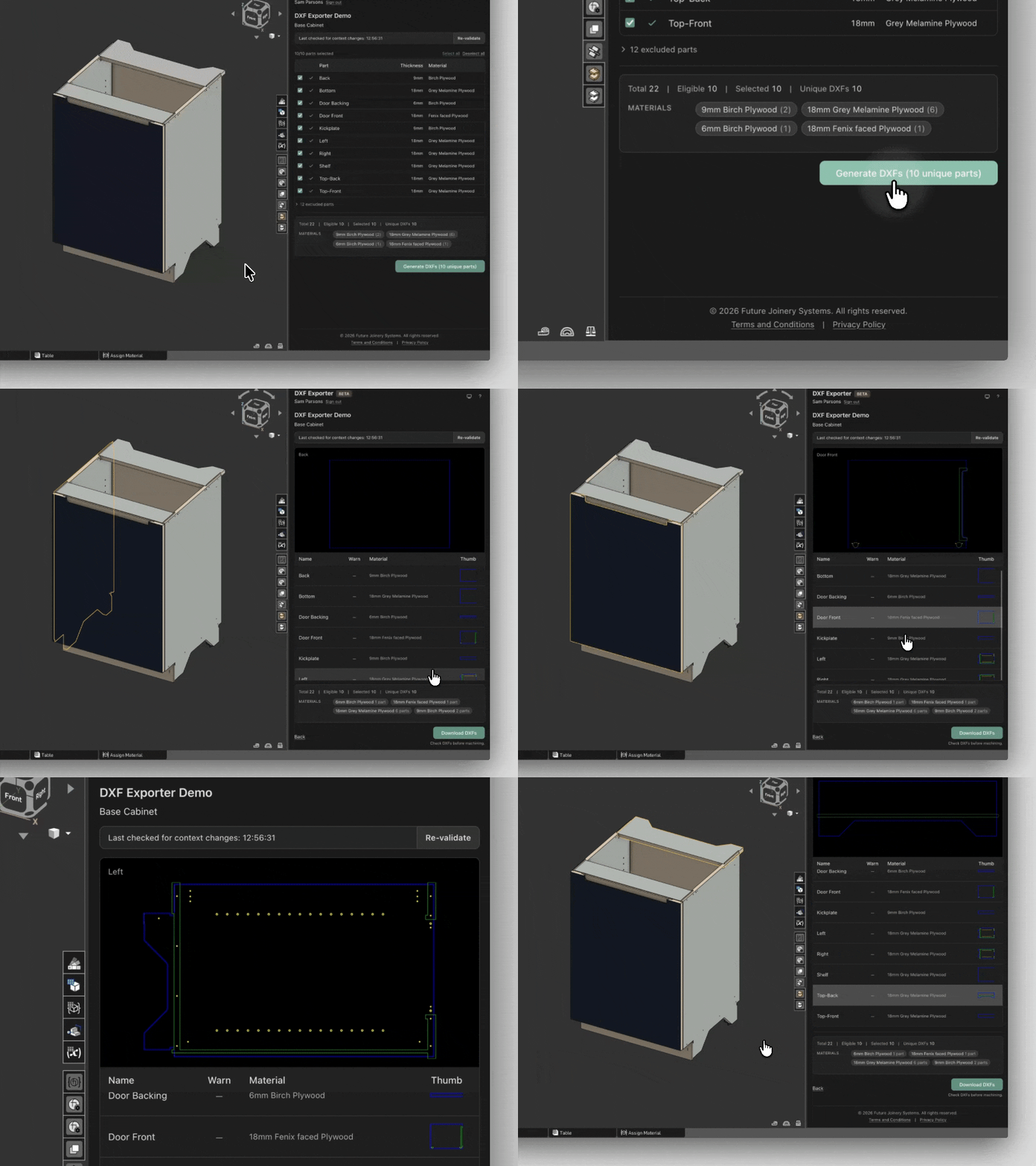
Review generated DXFs in the browser before downloading, with colours showing toolpath type and layer names giving tool size and depth for machinists.
Example layer: 3MM_HOLE_8MM
indicates a 3 mm hole, 8 mm deep
FAQs
DXF Exporter is designed for 2.5-axis and sheet-based workflows. That includes CNC routing, laser cutting, plasma cutting, and similar processes. People use workflows like this for cabinetry, casework, staircases, furniture, and plenty of other things we probably haven't thought of yet.
Onshape is browser-based 3D CAD software. DXF Exporter runs inside Onshape as an App Store integration. You can create an account at onshape.com.
Yes. If you can import the model into Onshape, you can use it with DXF Exporter. Common routes include STEP and Parasolid.
Yes. Onshape sheet metal parts export from the unfolded flat-pattern body as a through-cut 2D profile. That works from Part Studios and assemblies, and downloads are still organised by material. See the Sheet metal flat pattern exports guide for supported geometry.
Downloads are organised by material and include generated DXF files plus a report to help you review what was exported. Layer names add machining detail such as tool type, tool size, and depth.
Not perfectly. Validation helps identify anything that needs attention before export. Assigning materials controls how files are organised in the download, and the companion custom features can help with geometry prep, grain direction, and face orientation.
DXF Exporter analyses your model through Onshape, and each Onshape account has a processing limit on that analysis. Professional and enterprise users rarely reach it in normal use; Free and Education accounts have a stricter limit. When the limit is reached, analysis pauses until Onshape resets it. See the Onshape usage limits guide.
Validation, generation and preview are available without a subscription. A subscription unlocks DXF downloads. Plans are £50 per month or £400 per year, excl. tax. See Pricing for details.
No magic here, unfortunately. DXF Exporter is built for 2.5-axis and sheet-based DXF workflows. For complex 3D toolpaths, a full CAM system is still the right tool.
DXF Exporter is designed for 2.5-axis and sheet-based workflows. That includes CNC routing, laser cutting, plasma cutting, and similar processes. People use workflows like this for cabinetry, casework, staircases, furniture, and plenty of other things we probably haven't thought of yet.
Yes. If you can import the model into Onshape, you can use it with DXF Exporter. Common routes include STEP and Parasolid.
Downloads are organised by material and include generated DXF files plus a report to help you review what was exported. Layer names add machining detail such as tool type, tool size, and depth.
DXF Exporter analyses your model through Onshape, and each Onshape account has a processing limit on that analysis. Professional and enterprise users rarely reach it in normal use; Free and Education accounts have a stricter limit. When the limit is reached, analysis pauses until Onshape resets it. See the Onshape usage limits guide.
No magic here, unfortunately. DXF Exporter is built for 2.5-axis and sheet-based DXF workflows. For complex 3D toolpaths, a full CAM system is still the right tool.
Onshape is browser-based 3D CAD software. DXF Exporter runs inside Onshape as an App Store integration. You can create an account at onshape.com.
Yes. Onshape sheet metal parts export from the unfolded flat-pattern body as a through-cut 2D profile. That works from Part Studios and assemblies, and downloads are still organised by material. See the Sheet metal flat pattern exports guide for supported geometry.
Not perfectly. Validation helps identify anything that needs attention before export. Assigning materials controls how files are organised in the download, and the companion custom features can help with geometry prep, grain direction, and face orientation.
Validation, generation and preview are available without a subscription. A subscription unlocks DXF downloads. Plans are £50 per month or £400 per year, excl. tax. See Pricing for details.
Email us if you need help, or check the changelog for recent updates.